
Attendance tracking with rates and hours built in
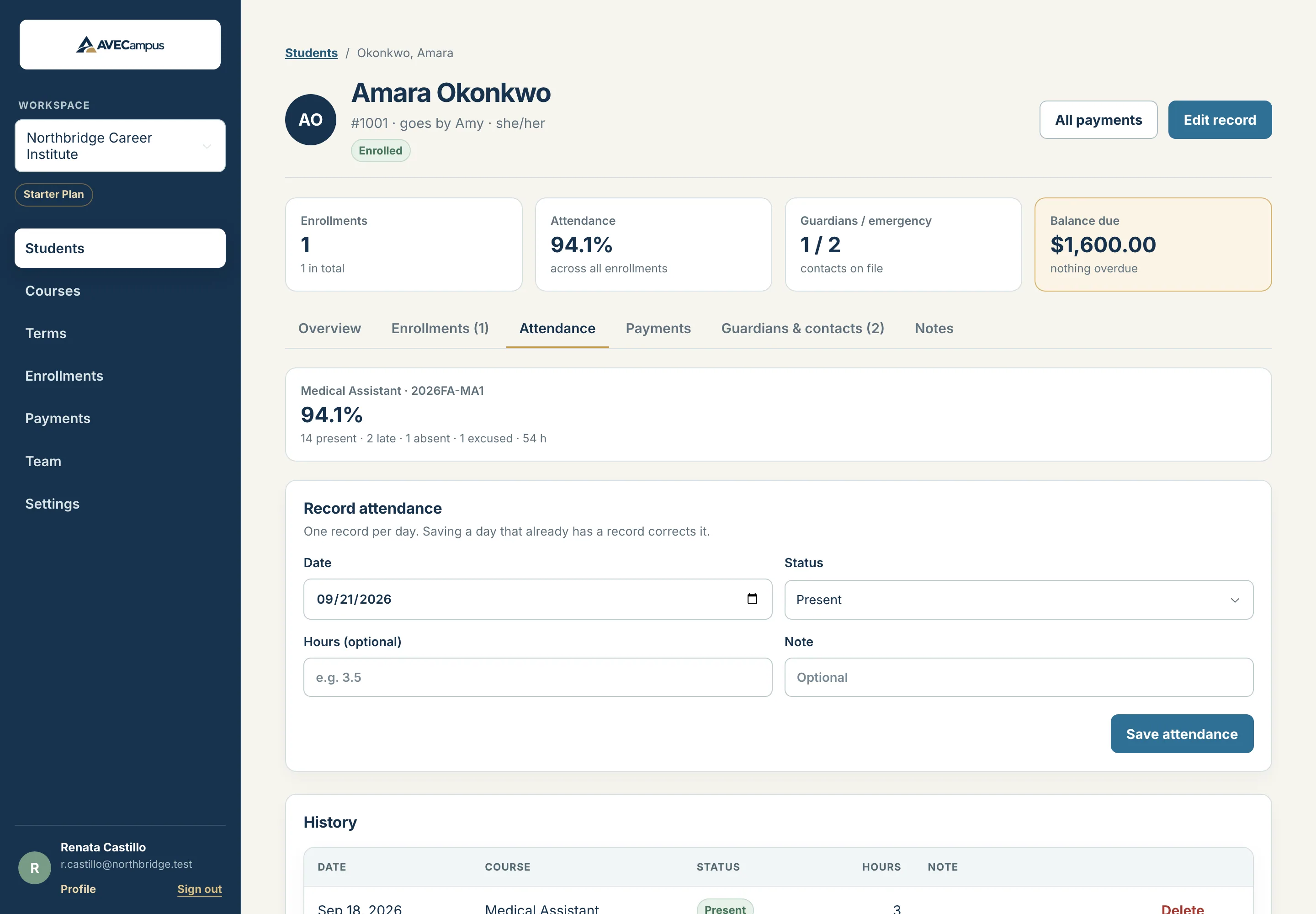
Record each class day as present, late, absent or excused, add the hours attended if you report them, and see attendance rates without doing any arithmetic.
What you get
- Present, late, absent and excused statuses
- Optional hours for each day
- Attendance rate and total hours per enrollment
- One record per student per day, easy to correct
- Instructors can record and correct attendance
- Notes such as the reason for an absence
A rate that treats excused fairly
The attendance rate is present plus late, divided by present plus late plus absent. Excused days are left out, so a documented absence does not lower a student's rate.
Correct it by recording it again
Saving a day that already has a record replaces it, so fixing a mistake takes seconds and does not create duplicates.
Per enrollment, so it stays accurate
Attendance belongs to an enrollment, which means a student in two sections has two separate attendance histories and two separate rates.
Common questions
Can instructors take attendance?
Yes. Instructors are read-only for most records, but they can record and correct attendance.
Is there a class roll-call sheet?
Not yet. Attendance is recorded from each student's page today. A whole-class roll-call view is on the roadmap.
Related features
- Courses, terms and sectionsModel courses, academic terms and dated sections the way your school runs. Sections must fit inside their term, and term status updates from the dates.
- Student recordsKeep every student profile, note and restricted ID detail organized in one system. Search fast, archive instead of delete, and control who can see what.
- Guardians and emergency contactsStore as many guardians and emergency contacts as each student needs, in call order, with pickup permission. Keep families reachable when it matters.