
Guardians and emergency contacts, always within reach
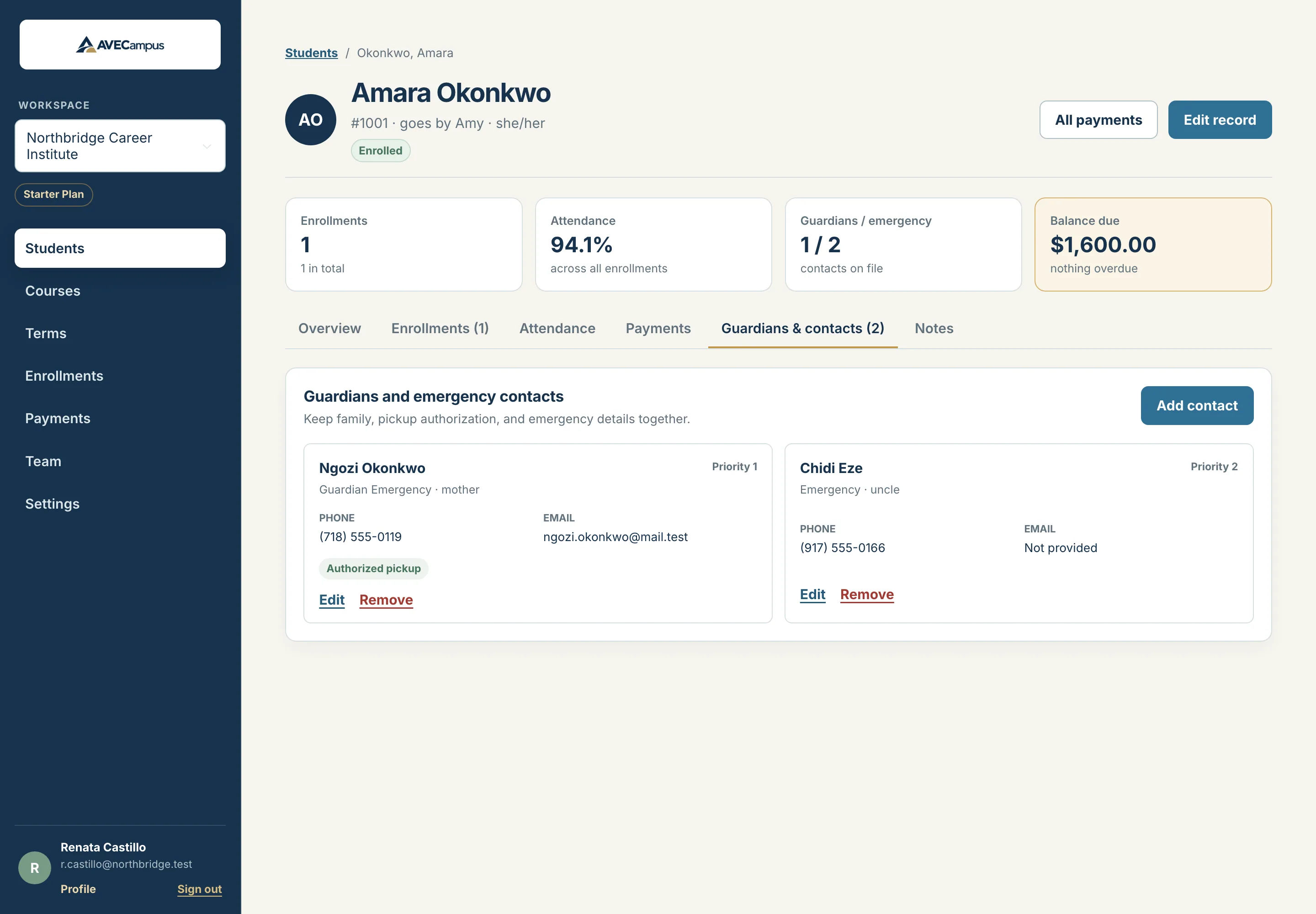
Add as many guardians and emergency contacts as a student has. Put them in call order, note who may collect the student, and find them instantly from the student profile.
What you get
- Legal guardian, emergency contact, or both for the same person
- Call order so staff know who to phone first
- Authorized pickup flag for each contact
- Email, phone, alternate phone and address
- Relationship recorded, such as mother or uncle
- Visible to instructors, editable by staff
Built for real families
A student can have two guardians, an aunt who is an emergency contact, and a neighbor who may collect them on Fridays. Each is a separate contact with the role that fits.
Ready in an emergency
The overview tab shows the first contacts and their phone numbers. The contacts tab lists everyone in call order with pickup permission at a glance.
Right access for the right role
Instructors can read contacts so they can reach a family. Owners, admins and staff can add and edit them.
Common questions
Can one person be both guardian and emergency contact?
Yes. Choose the combined role when you add the contact.
Are guardians required?
No. Add them where they apply, for example for younger students, and skip them for adult learners.
Related features
- Student recordsKeep every student profile, note and restricted ID detail organized in one system. Search fast, archive instead of delete, and control who can see what.
- Attendance trackingRecord present, late, absent or excused for every class day, with optional hours. See attendance rates and total hours for each enrollment instantly.
- Team and multiple schoolsManage several schools with one login, invite teammates, and give owners, admins, staff and instructors exactly the access they need.