
Accept tuition online through your own Stripe account
Send a payment link to a student or guardian. When it is paid, the payment appears in your ledger with a receipt number. The money goes straight to your Stripe account.
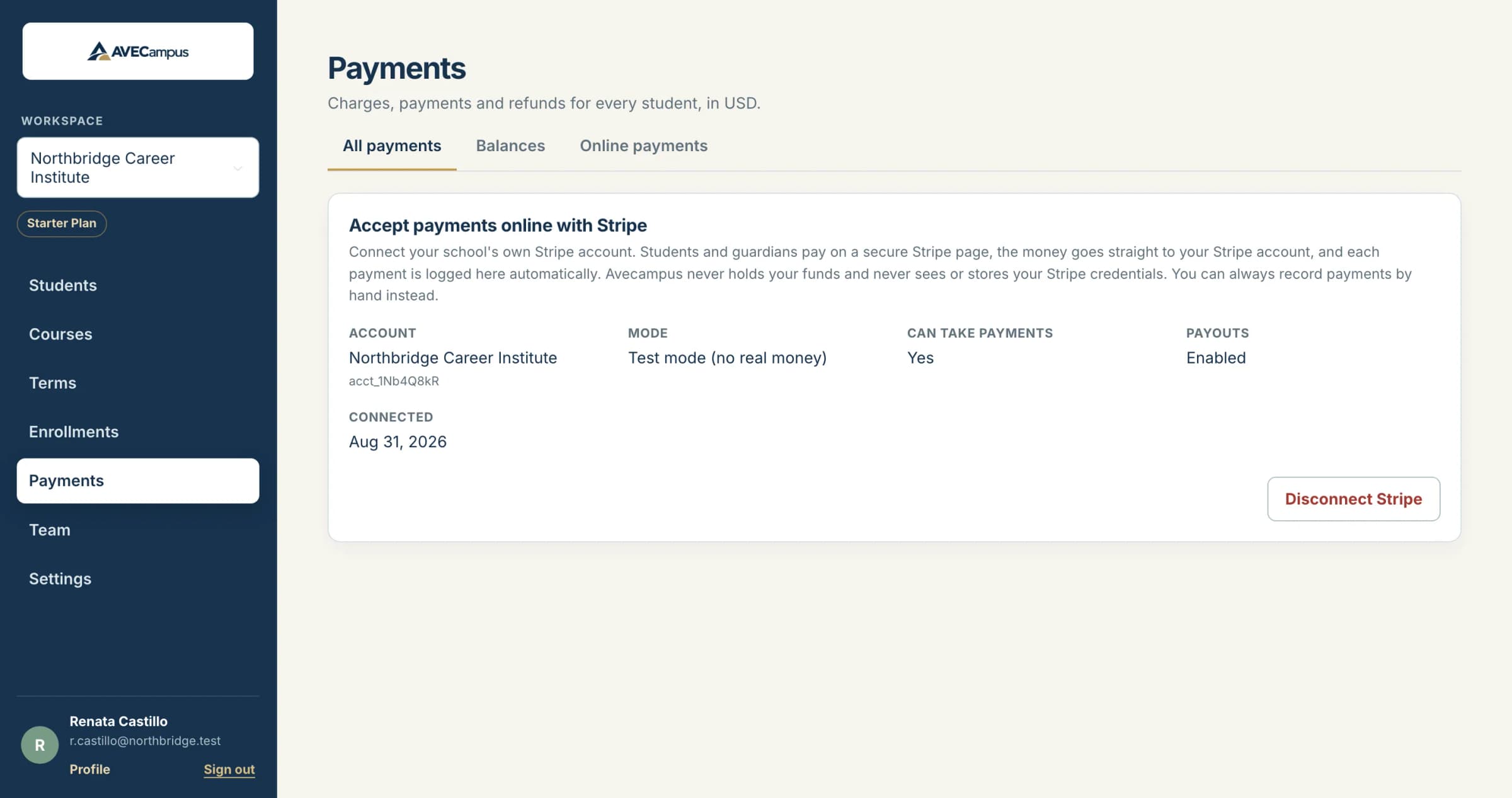
What you get
- Connect your existing Stripe account in a few clicks
- Payment links for a student, sent to the student or a guardian
- Paid amounts are logged automatically with a receipt number
- Refund online payments from AVECampus
- AVECampus never holds funds or stores your Stripe keys
- Manual payments always work alongside it
Your Stripe account, your money
You authorize AVECampus once. Payments are made on Stripe's secure page and settle directly into your own Stripe account. AVECampus keeps only your account identifier, never a secret key or card number.
Only what you asked for is logged
AVECampus records payments that started from a link you created. Other activity in your Stripe account is ignored, so your ledger stays clean.
Safe by design
Notifications from Stripe are verified by signature, and a repeated notification never creates a second payment. If a paid amount does not match the request, it waits for a person to review.
Common questions
Is online payment available now?
It is in beta on the Starter plan. Manual payments are available on every plan.
Do parents need an account?
No. They open the link and pay on Stripe's page. A full family portal is on the roadmap.
Who pays Stripe's fees?
Stripe's fees are charged by Stripe to your Stripe account under your own agreement with them.
Related features
- Tuition and paymentsTrack charges, installment plans, payments, refunds and receipts for every student. Balances and overdue amounts are worked out for you. Export to CSV.
- Student recordsKeep every student profile, note and restricted ID detail organized in one system. Search fast, archive instead of delete, and control who can see what.
- Team and multiple schoolsManage several schools with one login, invite teammates, and give owners, admins, staff and instructors exactly the access they need.