
Tuition, payments and receipts that always add up
Add what a student owes, record what arrives, return what was refunded, and let AVECampus work out the balance. Nothing to reconcile by hand.
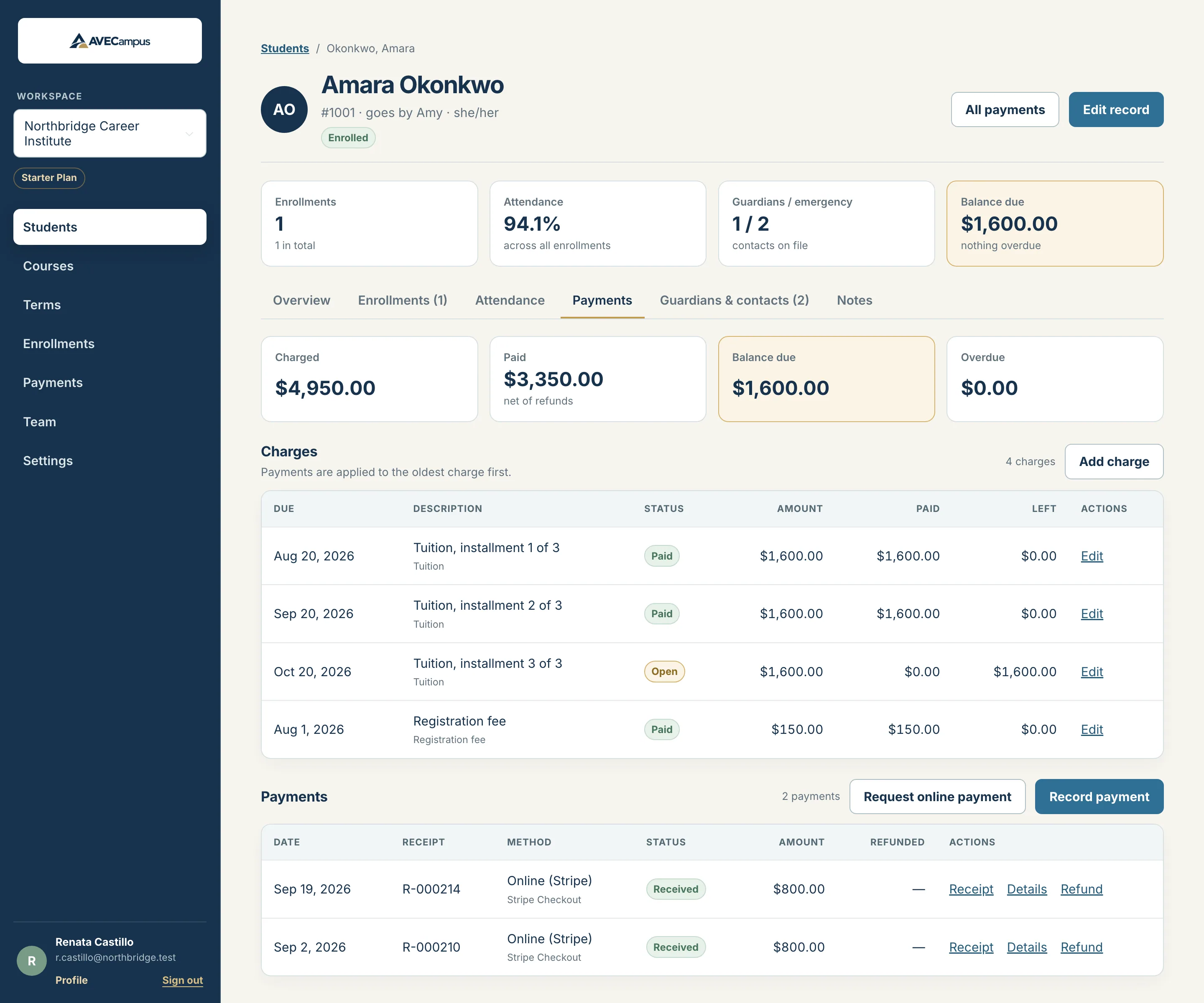
What you get
- Charges and installment plans that split to the exact cent
- Cash, check, bank transfer, voucher and in-person card payments
- Pending checks that count only once they clear
- Numbered, printable receipts
- Refunds that can never exceed the payment
- CSV export of payments and balances
Balances are worked out, not typed in
A balance is what was charged minus what was paid and not refunded. Payments are applied to the oldest charge first, so you always see which installment is paid, partly paid, open or overdue.
Nothing is silently edited
Amounts cannot be changed after they are recorded. A mistake is voided with a reason and stays in the history, and money you return is recorded as a refund.
One page for each job
The payment list is only a list. Recording, editing, refunding and adding charges each have their own page, so it is always clear what you are doing.
Common questions
How do installment plans work?
Enter the total, the number of installments and how often they repeat. AVECampus creates the charges together and splits the total so the installments add up exactly.
Can I edit a payment amount?
No. Void the payment with a reason and record a new one. This keeps your records trustworthy.
Can instructors see payments?
No. Payments, charges and balances are visible to owners, admins and staff only.
Related features
- Online paymentsConnect your own Stripe account, send a payment link to a student or guardian, and see each paid amount logged automatically. Available in beta on Starter.
- Student recordsKeep every student profile, note and restricted ID detail organized in one system. Search fast, archive instead of delete, and control who can see what.
- Team and multiple schoolsManage several schools with one login, invite teammates, and give owners, admins, staff and instructors exactly the access they need.